Moodle My Media - How to download video captions
- Zac Macdonald
- Jason 1keddie
- Jeremy Fuller
- Tri Ningsih
This article assumes that you have ordered captions for your video, the captions have processed, and you would now like to download the captions.
How to download Video Captions / Transcripts for Kaltura Reach
If you are the creator of the video we recommend you write a script as this can be used as a transcript as well.
1. Select your Video in MyMedia
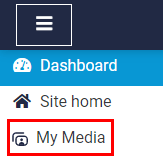
- From Moodle, in the navigation drawer on the left, select My Media.
To the right of the video that you would like to download captions for select the Edit button.
- Select the Attachments tab and, and on the far right, select the download button for the txt file (not the .json file).
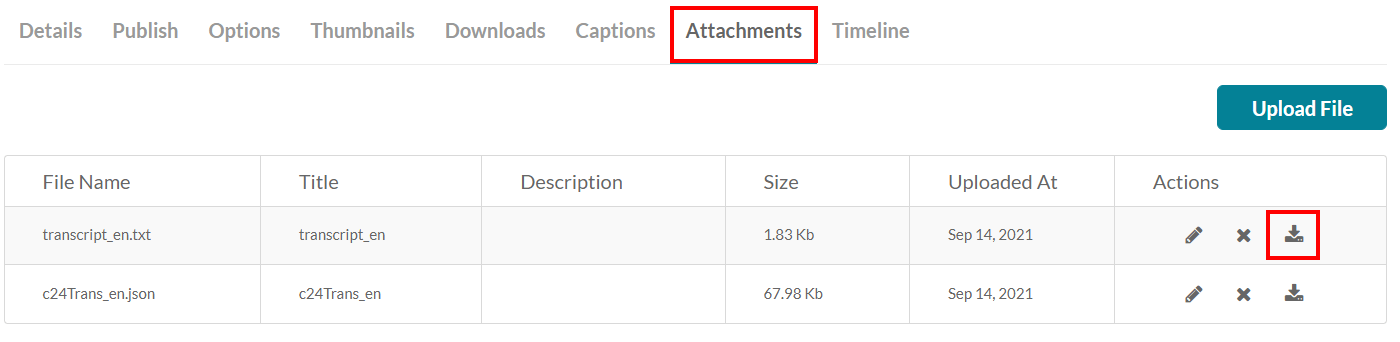
- Alternatively, you can download the SRT file under the Captions Tab. This format has the text split into smaller parts with more specific timestamps.


Content on this page is licensed under a Creative Commons Attribution-ShareAlike 4.0 International license.
Related Articles
Related content
How to Contact the Computer Services Department
Submit a ticket
To submit a ticket, you will be required to log in using your FULL Royal Roads email address (detailed instructions here)
New! If you do not have a full RRU email address (students not currently in a credit program and/or visitors), you can create a portal account using your personal email address.
Email us at IT Customer Service
Contact Form
Phone: 250-391-2659 Toll Free: 1-866-808-5429
Come visit us in the Sequoia Building
Hours of Operation